Live demo · sample tickets
An AI support desk that solves the easy chats and hands over the hard ones well.
Open the full desk Try the live simulation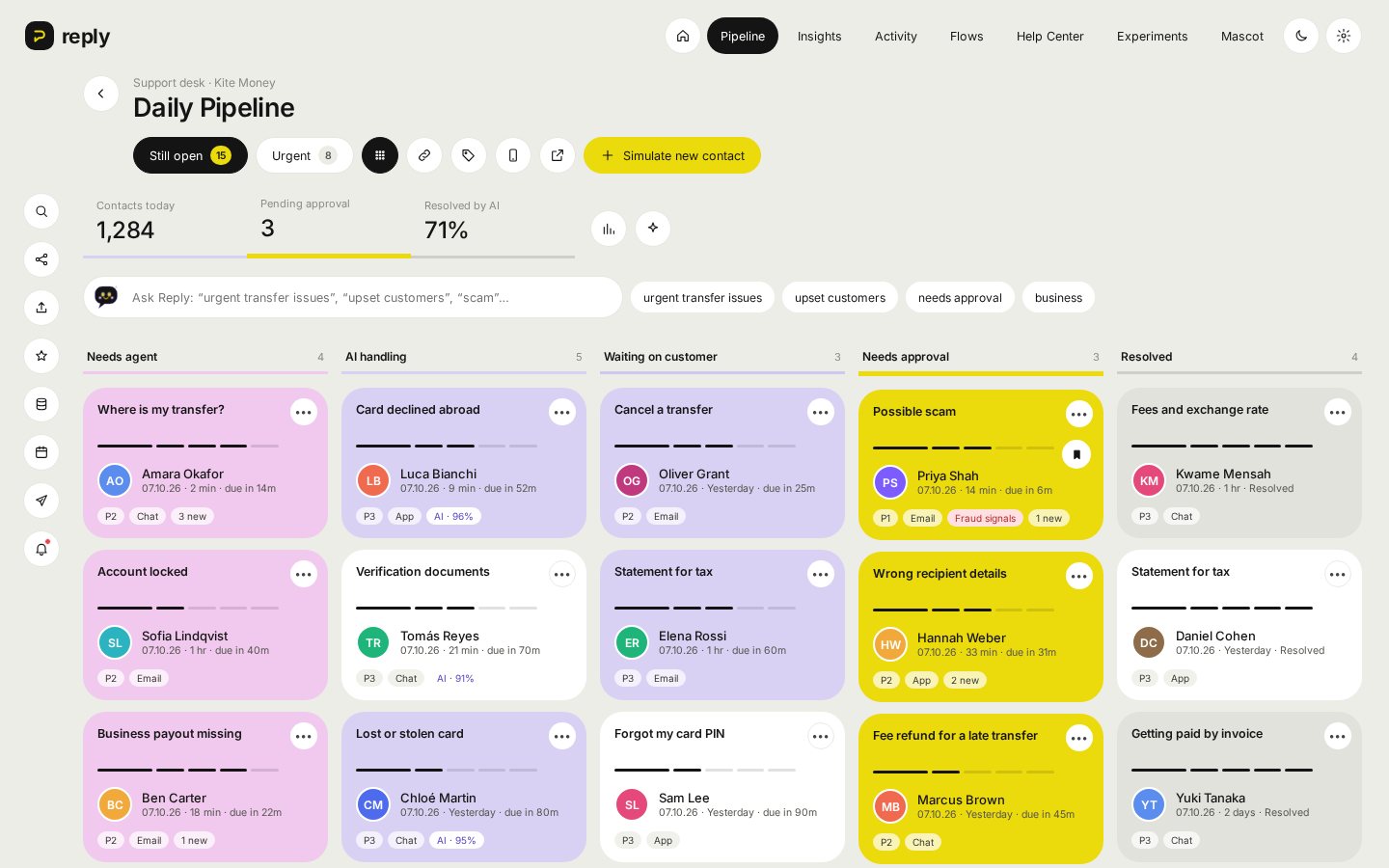
Customers ask about their money. Bots make them repeat themselves.
Support for a money app is mostly the same few questions: where is my transfer, why was my card declined, what does this fee mean. Those are ideal for an AI assistant. But the rest are the moments that matter most: a possible scam, a locked account, money sent to the wrong person.
Most AI support tools either answer everything, including things they shouldn't, or hand over a bare transcript so the agent starts from zero and the customer explains it all again.
So the brief: let the assistant resolve what it safely can, and when it hands over, give the agent the summary, the account facts and a draft reply in one place.
Six calls that shaped the product
A confidence line the team sets
The assistant answers on its own only above a threshold the support lead chooses. Below it, the chat goes to a person with a summary of what the customer wants.
Money moves need a person
The assistant can suggest a refund, a recall or a cancellation, but those sit in Needs approval until an agent says yes. Safe steps like sharing tracking it can do itself.
Scams always go to a human
Anything that looks like a scam or account takeover skips the assistant and goes straight to an agent as P1. That rule can't be switched off.
The handover is the product
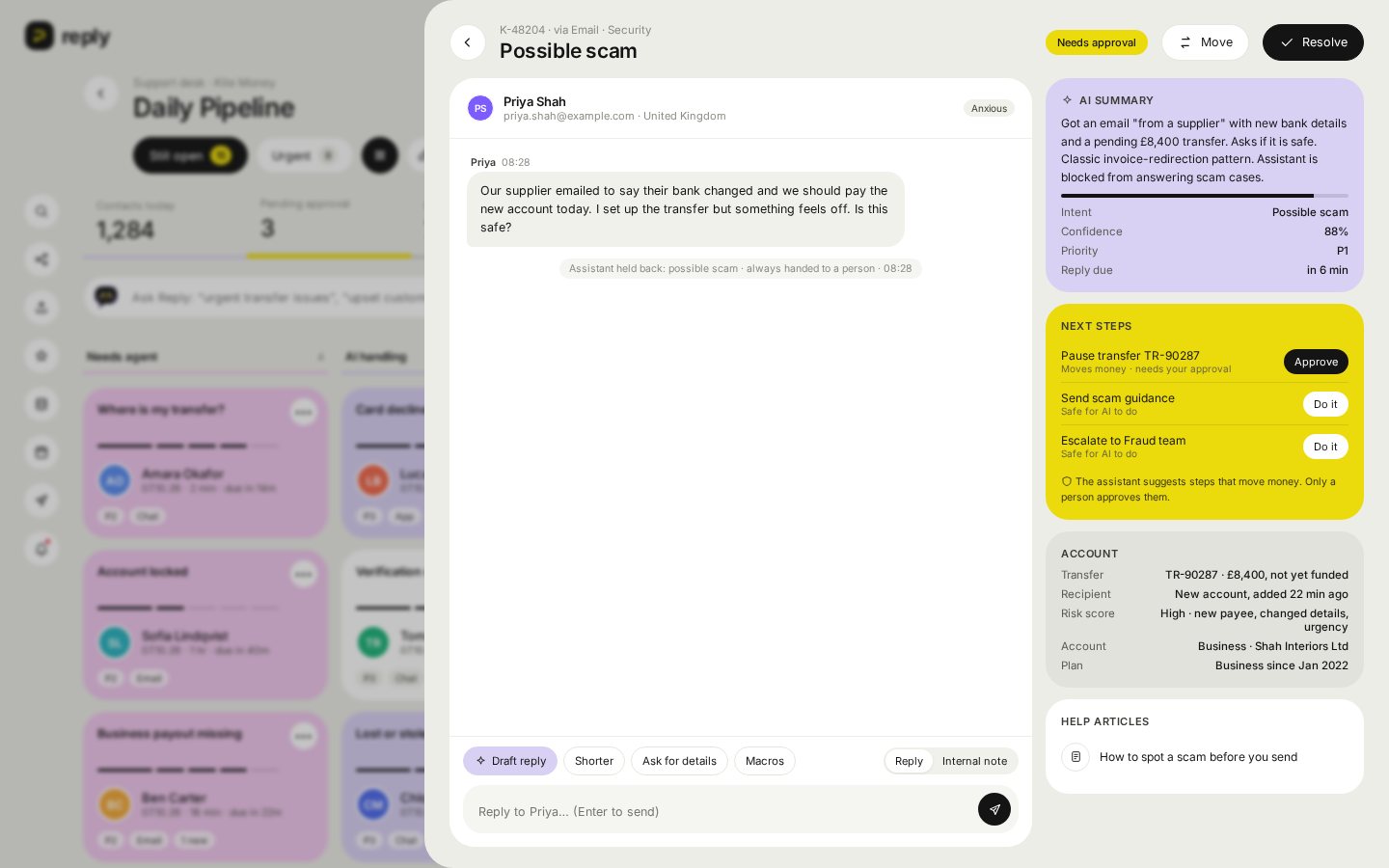
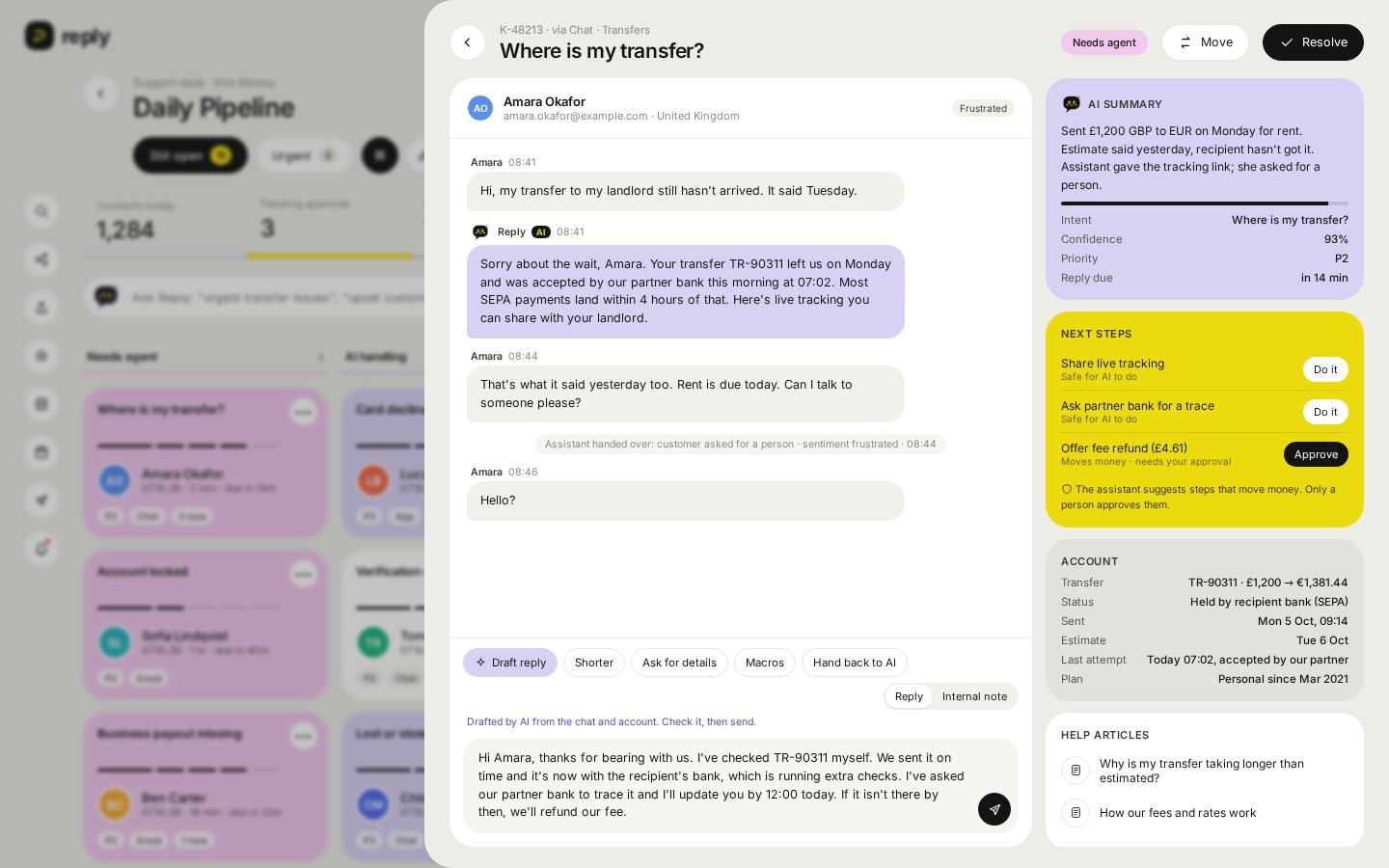
Agents open a ticket to find the AI summary, intent, confidence, account facts, next steps and a draft reply. The customer never has to repeat themselves.
Upset customers skip the bot
Reply reads sentiment. A frustrated or angry customer goes to a person, even when the assistant is confident it could answer.
Fix the cause, not the ticket
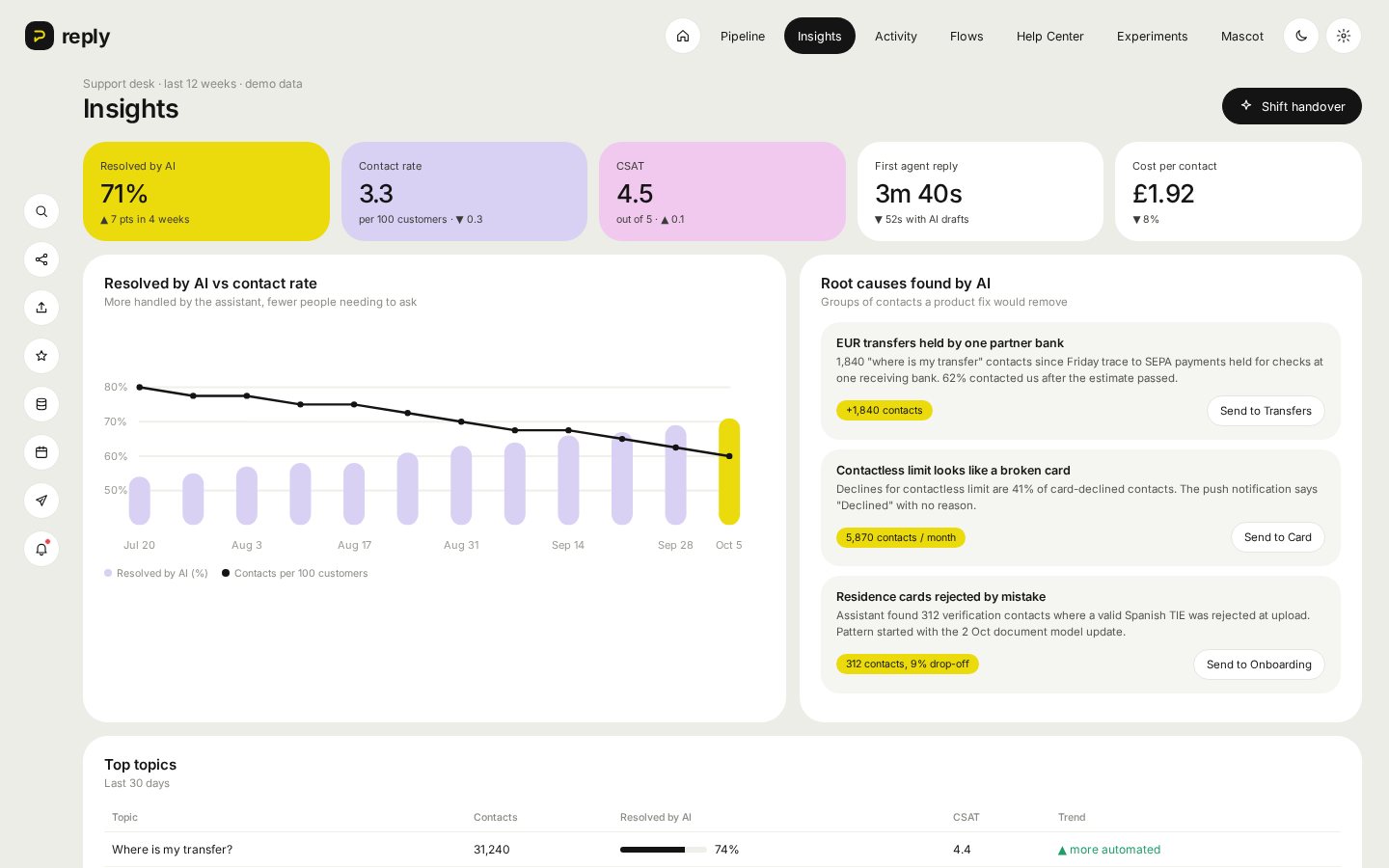
The AI groups contacts into root causes, like one partner bank holding transfers, and sends them to the product team that can remove the contact for good.
Everything the agent needs, on one screen
Open a ticket and the conversation sits next to the AI's read of it. The agent can draft a reply, make it shorter, ask for missing details, use a saved reply or leave an internal note for the team.
Next steps are split by risk: the assistant can do the safe ones, and anything that moves money waits for the agent to approve. On a scam ticket the assistant stays silent and the account lock is one approval away.
One desk for people and the assistant
| Screen | What it answers |
|---|---|
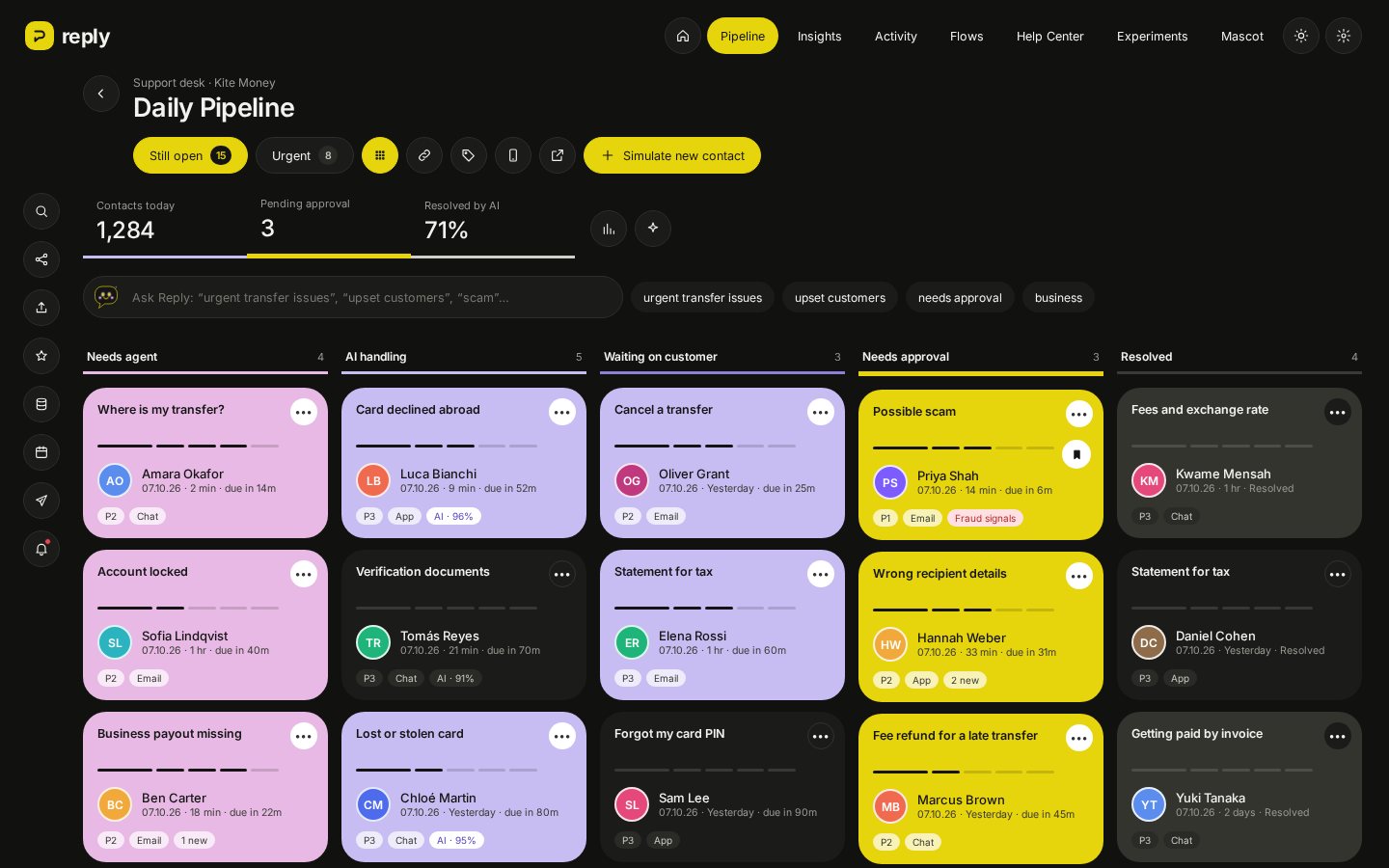
| Pipeline | What needs a person right now? Drag tickets between stages, with rules that stop unsafe moves, and search in plain English like "urgent transfer issues" |
| Ticket | What does this customer need, and what is safe to do about it? |
| Insights | How much the assistant resolves, contact rate, CSAT and the root causes behind the volume |
| Flows and Help Center | Which topics the assistant may handle, and which questions have no good help article yet (with an AI draft) |
| Activity and handover | Everything that happened today, plus an end-of-shift summary written from the live pipeline |
| Settings | The confidence line, approval rules, tone, light or dark mode and the mascot |
Calm in the day, easy on the eyes at night
Support teams work shifts, so Reply has a full dark mode that follows the device setting. Pastel cards keep their colour so the stages still read at a glance.
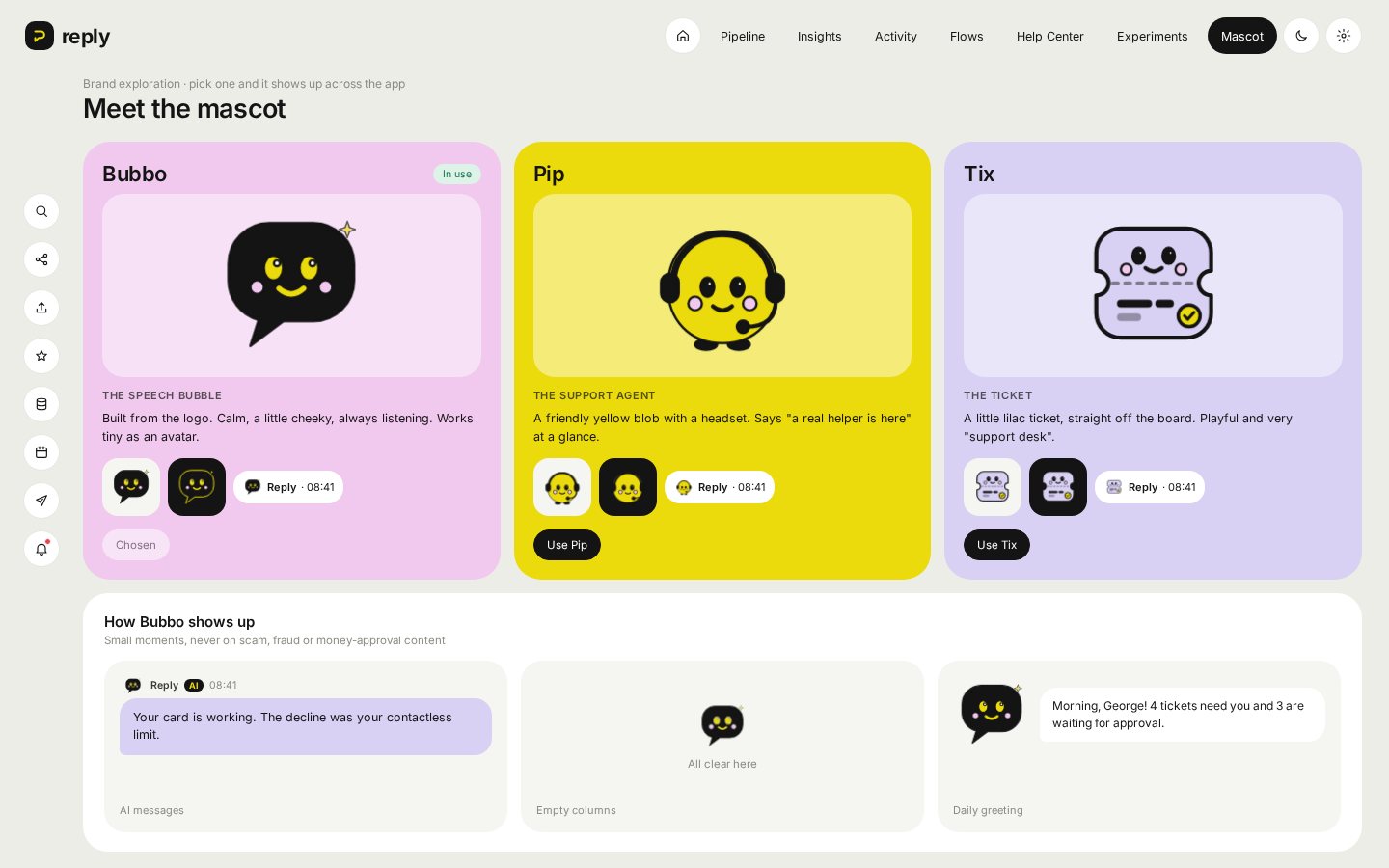
Bubbo, a speech bubble taken from the logo, is the assistant's face. It shows up on AI messages, summaries and empty columns, and stays off scam and fraud tickets where a friendly face would feel wrong.
Success is fewer people needing to ask
Reply is a concept running on sample tickets, so these are targets, not results.
- Resolution: share of contacts the assistant fully resolves, with no reopen within 7 days.
- Contact rate: contacts per 100 customers going down as root causes get fixed.
- Guardrail: CSAT on AI-resolved chats at least matches agent-resolved chats, and zero money moved without a person approving it.
Built with an AI agent, judged by me
I built Reply with an AI coding agent. I made the product calls: where the assistant's authority ends, which steps need approval, what a good handover holds, how tickets move through the day and how it looks in light and dark. It's a fast static web app; replies, notes and settings save in the browser.
It's a concept: Kite Money, the customers and every ticket are made up.
From concept to pilot
- Connect a real help desk and chat channel, with tickets stored in a database.
- Test the assistant's answers with an eval suite on every change, like the one in Delta.
- A pilot with one support team on two or three low-risk topics before widening.
"The best AI support isn't the one that answers everything. It's the one that knows when to hand over."
Got a product, a hard problem, or just want to say hi? Send it over. I read every message.
George Odiana
Open to product roles, side-project collaborations and good conversations about hard product problems.
⚡ 1